UX
The Nar UX is the control panel for managing your deployments. Install Nar from the DMG — it opens this UX. From here you can provision infrastructure, deploy code, and manage multiple environments without touching cloud consoles.
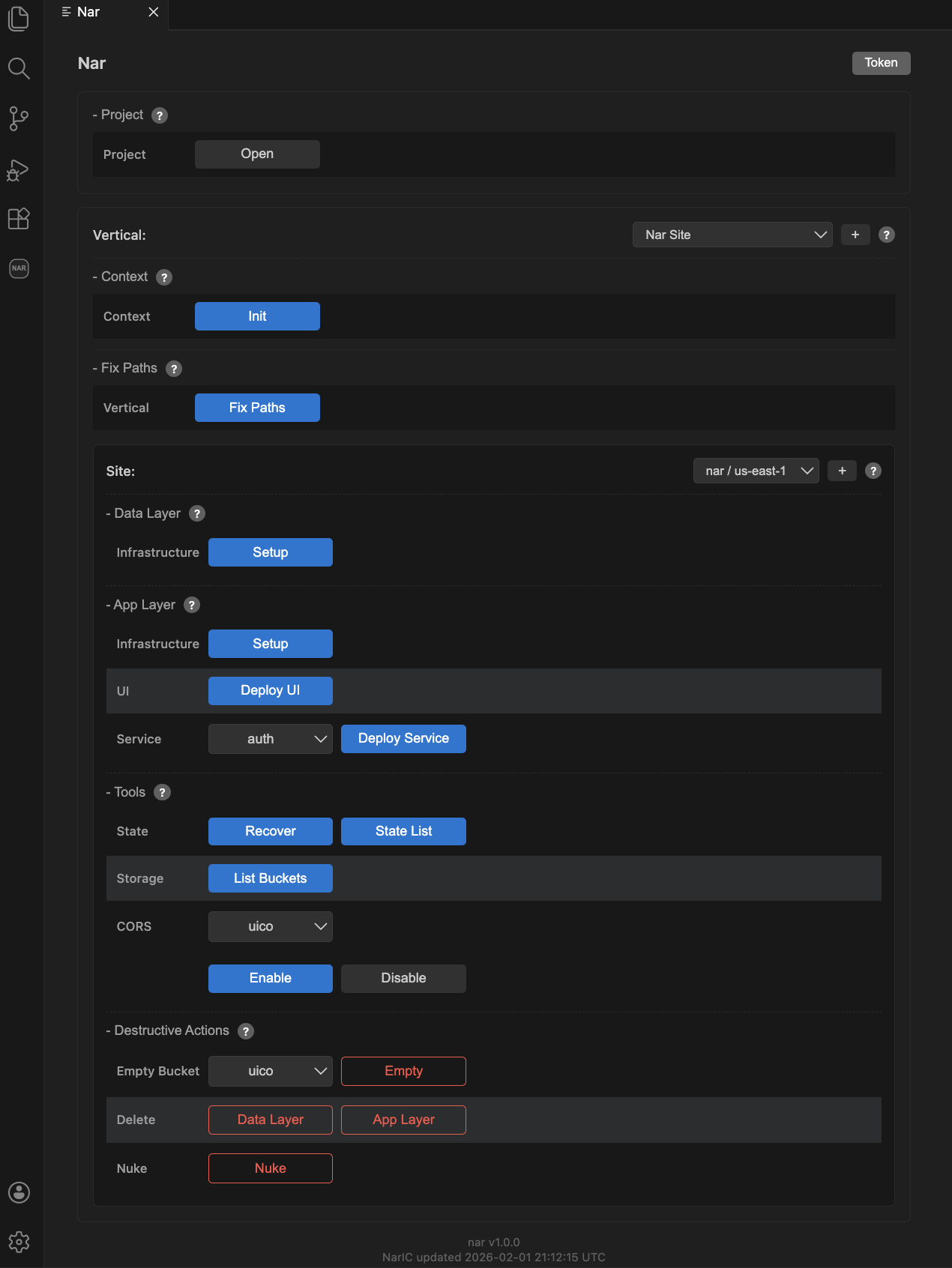
Workflow
The typical deployment flow:
- Context — Select a region and run Init to create a deploy role and state storage in your cloud account.
- Sites — Create and switch between environments (dev, staging, prod).
- Data Layer — Provision storage buckets.
- App Layer — Provision composites and deploy your code.
Maintenance
- Fix Paths — Update configuration paths after moving your project folder.
- Tools — State recovery, resource listing, CORS configuration.
- Vertical — Understand and manage the active vertical.
- Destructive Actions — Delete resources and tear down sites.